
Accademia Gallery Audio Guide: Is It Worth It?
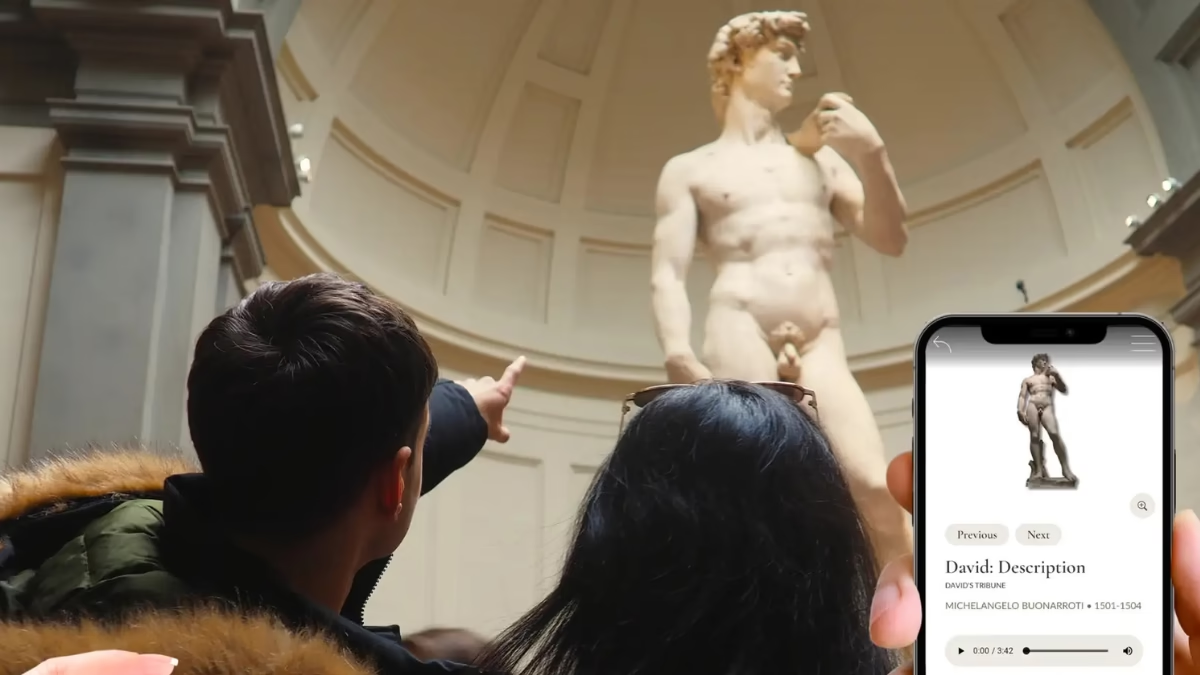
The Accademia Gallery offers an official audio guide rental device for €6 at the entrance, covering approximately 40 works across 8 languages. Third-party app-based audio guides are also available, often bundled with skip-the-line tickets. For first-time visitors, an audio guide is worth the modest cost — the David commentary alone provides 8–10 minutes of analysis that transforms a glance into genuine understanding. Bring your own headphones either way.
The Accademia Gallery is a compact museum with enormous content. Michelangelo’s David, the Prisoners, the musical instruments, the Byzantine painting collection — each has a story that rewards knowing. The question is whether you want that story delivered to you through a device, or whether you prefer to form your own impressions in silence.
For most first-time visitors, the audio guide tips the balance. This article covers every audio option at the Accademia — the official device, third-party apps, bundled ticket options, and free alternatives — so you can make the right call before you arrive.
Option 1: The Official Rental Audio Guide
What it is: A handheld audio guide device rented at the museum’s entrance bookshop for €6. It covers approximately 40 significant works using a number-keyed system — find the number beside an artwork’s label, enter it on the device, and hear 2–3 minutes of commentary.
Cost: €6 at the entrance bookshop. A deposit is required — you leave a passport or driver’s licence at the desk and retrieve it when you return the device at the exit before closing time (6:50 pm).
Languages: Available in Italian, English, French, Spanish, German, and Portuguese as standard. Confirm availability of your preferred language at the bookshop on the day.
Coverage: Approximately 40 works across the full museum. The David commentary is the most developed — 8–10 minutes covering marble selection, the political symbolism of the statue, Michelangelo’s anatomical choices for the intended viewing position, and the conservation challenges the museum has faced since 1873. The Prisoners section, St. Matthew, the Gipsoteca plaster casts, and the musical instruments are also covered.
How it works: The system is number-keyed rather than GPS-triggered. Each artwork in the gallery has a number on its label; you enter this on the device to hear the relevant track. There is no fixed route — you navigate the museum at your own pace and listen to whichever tracks interest you. You can replay sections, skip works, and spend as long as you like on any individual piece.
What to bring: Your own headphones. The device has a headphone jack but does not come with headphones. In-ear headphones work well; over-ear provide better audio quality in busier rooms.
Practical note: Return the device before the museum closes at 6:50 pm to retrieve your identity document. If you intend to stay until closing, return the device at the exit on your way out.
Option 2: App-Based Audio Guides (Bundled with Tickets)
Several third-party booking platforms offer skip-the-line entry tickets with an audio guide app included. These differ from the official rental device in important ways.
The Accademia Gallery & David Priority Entry & Audio App is the most developed of these options. It combines fast-track priority entry with a bilingual host at the meeting point and an exclusive mobile audio guide app authored by art historians. The app covers David, the Prisoners, the musical instruments (including the Cristofori fortepiano), and the painting galleries. Available in up to 18 languages — one of the broadest multilingual offerings at any Florence museum. Full details in our Priority Entry & Audio App article.
Key practical difference from the official device: The app must be downloaded before your visit over a Wi-Fi connection. Mobile data coverage inside the museum and at the meeting point near the entrance is unreliable. If you receive download instructions the day before your visit (typically via WhatsApp), follow them immediately.
Bring your own headphones — the app requires them and they are not provided.
Option 3: Free Audio Guide Apps
Several free or freemium audio guide apps cover the Accademia Gallery and are worth knowing about, particularly for budget-conscious visitors.
Rick Steves Audio Europe: Covers 15–20 major works with engaging, narrative-style commentary. Available free on iOS and Android. The David section is particularly good — anecdotal, story-led, and accessible to non-specialists. Coverage is less comprehensive than the official device but the quality of what it does cover is high. Download at home over Wi-Fi.
Google Arts & Culture: Broader coverage but more academic in tone. Useful as a reference tool during the visit rather than a primary guide. Available free.
Audiala and similar city audio guide apps: A growing number of general Florence audio guide apps include Accademia content. Quality varies. Check reviews and download before arrival.
The honest assessment of free apps: For visitors who engage regularly with art and feel comfortable forming their own impressions, a free app is entirely adequate. For first-time visitors with limited background in Italian Renaissance art, the official €6 device or the bundled app from the Priority Entry & Audio App product offer more structured, museum-specific commentary that is worth the modest additional cost.
Audio Guide vs Live Guide: Which Is Better?
The core difference: An audio guide gives you flexibility — you set the pace, you choose what to listen to, and you can spend unlimited time with any work. A live guide gives you responsiveness — they answer your questions, adjust to what the group finds compelling, and create moments of genuine discovery. Both are better than no guidance at all for first-time visitors.
Choose an audio guide if: – You want to explore at your own pace without the structure of a group tour – You are travelling with a partner or small group and want to move independently – You speak a language not widely available in live group tours – You want to spend a long time in front of specific works without a group itinerary – Budget is a consideration — the audio guide adds €6–€35 versus €35–€49 for a guided tour
Choose a live guide if: – You want real-time answers to questions about specific works – You are a first-time visitor who benefits from a structured narrative – You are visiting with children (live guides adapt to the group; audio guides do not) – The social, interactive experience of a tour matters to you
For full details on live guided options, see our Accademia Gallery Guided Tours comparison.
Is the Audio Guide Worth It? The Verdict
For first-time visitors: yes, without hesitation. The official rental guide costs €6 — roughly the price of a coffee in central Florence. The David commentary alone, which covers the statue’s political meaning, its technical achievement, and the specific anatomical decisions that most visitors walk past without noticing, is worth more than that. The entire audio experience takes 60–75 minutes if you use every track.
For repeat visitors or those with a Renaissance art background: Optional. If you have seen David before and understand the context, silent contemplation of the Prisoners corridor is arguably more rewarding than narrated commentary.
Practical summary: – Official rental device: €6, 40 works, 8 languages, return before closing, bring headphones – Bundled app (Priority Entry & Audio App): included in ticket price (~€28–€35), up to 18 languages, download at home over Wi-Fi, bring headphones – Free apps: no cost, variable quality, download at home over Wi-Fi, bring headphones
Frequently Asked Questions
Do I need to book the audio guide in advance?
Not for the official rental device — pick it up at the entrance bookshop on the day. For the bundled app version (included with the Priority Entry & Audio App ticket), you book in advance as part of your ticket and download the app before your visit.
Are headphones included with the audio guide?
No. Neither the official rental device nor the app-based guides include headphones. Bring your own — in-ear headphones are sufficient, over-ear provide better audio quality in busy rooms.
Can I use my phone as the audio guide while also taking photos?
Yes, but manage your battery. A full Accademia visit with an active audio guide app and regular photography can drain a smartphone in 60–90 minutes. Bring a power bank or charge your phone fully before visiting.
What if I want to return to a room I have already passed?
The museum layout is broadly linear, but backtracking is permitted. The audio guide has no fixed sequence — you can replay any track or return to a room whenever you choose.
Is the audio guide available for children?
The official device is designed for adult visitors. The Priority Entry & Audio App (bundled ticket) covers general content without a child-specific mode. For families with children, a private tour with a guide who adapts the narrative to children’s ages is often a more effective experience.
Can I use the audio guide on free admission days?
Yes. The audio guide rental (€6) is available on all open days, including free admission days. It is not affected by the free entry policy. —
